
We’ve all done it — there’s already a WordPerfect (or even Word) document that you need some text out of (a letter addressee, a section out of a brief, whatever), so you decide to cut-and-paste from WordPerfect into your current Word document.And the formatting in your Word document goes totally … WAAAAAAHHHH!
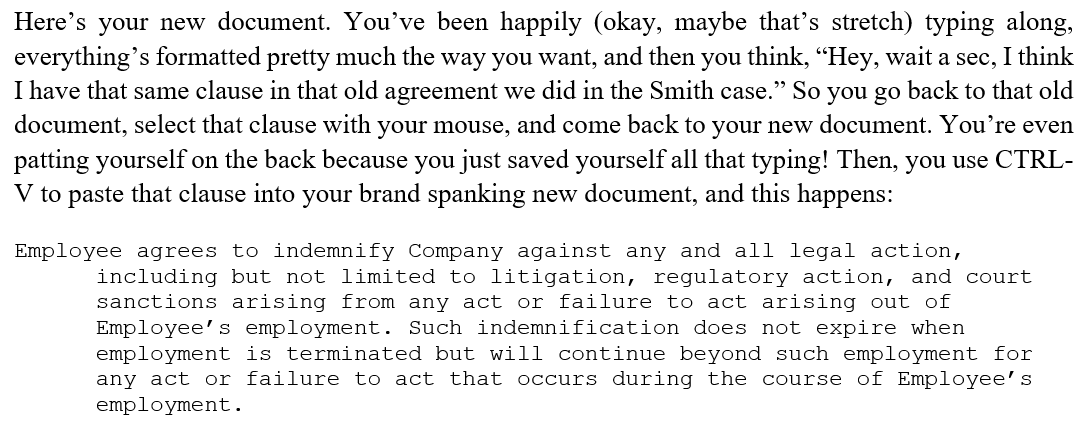
Here’s how to avoid that:
Using the Paste button
- Select and copy the section from WordPerfect as you normally would (either with your mouse or keyboard).
- On the Home tab, click Paste, then hover your mouse over each option (depending on how/whether the text you copied is formatted, you may not see all three options) to see a preview (circled in green in the illustrations below) of how your text will be pasted in:
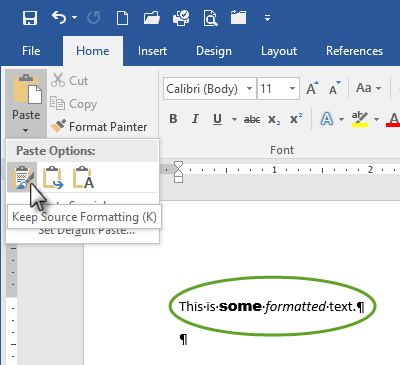
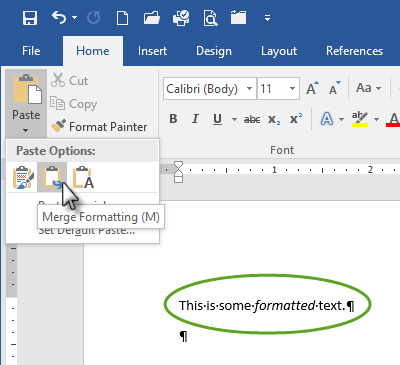
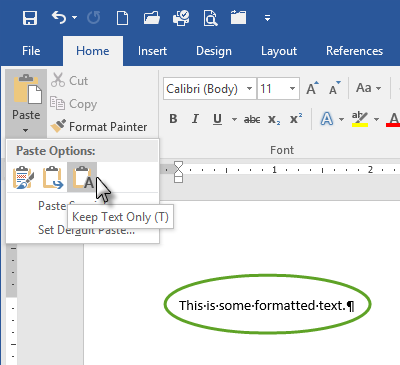
- You can also click Paste Special as shown above to get a dialog box with additional choices (which, again, will vary depending on the formatting embedded in your source text):
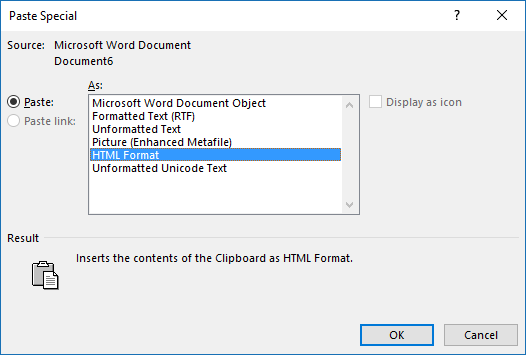
Keep in mind that, if you had any special formatting turned on for any of the originating text (such as italicized case names), you’ll need to manually restore that in the resulting document.
But it’s a small price to pay sometimes for not having to diagnose formatting issues that pasting one word processing format into another can cause!
Setting better pasting options
If you find yourself choosing the same paste option repeatedly, why not make it your default? Go back to the Paste button, but this time choose Set Default Paste:
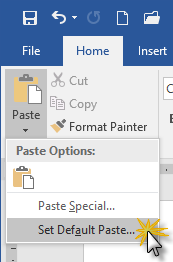
Word will take you directly to the place in the Options dialog box where you can set your preferences.
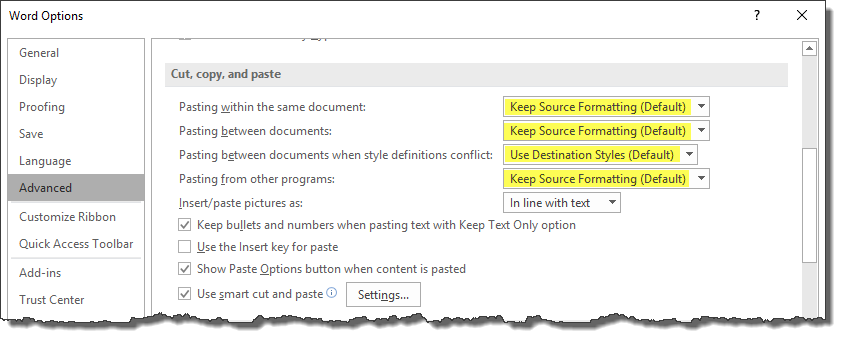
Just so you know, here are the other options you can choose:

Bonus tip: Getting rid of that Paste Options button
Also, see that checkbox in the illustration above labeled “Show Paste Options button when content is pasted”? If you find this little box annoying:

… just uncheck that box, and you’ll never see it again.

The majority of my cut & pasting from one document to another is most efficiently handled as follows:
Select source text to be copied (FROM)
Ctrl+C (Copy)
Place cursor iwhere you want to insert the text in the destination document (TO)
Ctrl+Alt+V, u, u, ENTER
The text being inserted will acquire the destination paragraph’s attributes. Character formatting from the SOURCE text will be lost; however, as Deborah stated in her post, it’s a small price to pay.
Yeah, I’ve often used Paste Special (which I always did with ALT-E, S, U, U, so I’ll have to remember the CTRL-ALT-V trick) in that way. The great thing is, there are a lot of different ways to accomplish the same end result in Word.
Deborah,
I am trying to delete portions of a motion; however, when I highlight the portions that I desire to delete, the numbers on the left hand side of the pleading paper are highlighted as well. If I try and delete the portion, the numbers are also deleted. How can I delete the portion I want to delete without deleting the numbers?
Try the trick at http://legalofficeguru.com/copying-vertical-columns-of-text-in-word/