Every Word problem a legal professional has. Solved. Once.
Get the entire Legal Office Guru course library — six courses covering everything from Ribbon basics to Tables of Authorities — at one-third off the regular price.
You know the moment. Some weird formatting thing comes up in a document — a TOA that won’t generate, a footnote that’s the wrong size, a redline you can’t decode, a cross-reference that broke when the attorney moved Section 4 — and you think: I should really learn how this works for real one of these days.
This is “one of these days.”
The All-Course Bundle isn’t six random courses on sale. It’s the entire toolkit of skills that, taken together, cover essentially every Word problem you’re going to run into in a legal career. Not “the one you’re working on right now.” All of them.
Is this you?
- You’ve already bought one of my courses, you liked it, and you’re back wondering which one to grab next
- You’ve been doing legal support work for years and you’re tired of getting blindsided by Word problems you’ve never seen before
- You’re a paralegal or legal secretary who wants to be The Person at the firm who actually knows how Word works — the one everyone else asks
- You’ve decided this is the year you stop white-knuckling it through document production
- You’d rather make one decision today than keep coming back trying to figure out which course you need next
- You want a complete reference library on your shelf for the next time the firm hands you something weird
If any of that sounds familiar — keep reading.
The whole point: the courses fit together.
Most “course bundle” deals are just a discount slapped on whatever the seller has. This isn’t that.
The Legal Office Guru library was built around the actual lifecycle of a legal document — and the courses are designed to compound when you learn them together:
- Basic Word Skills is the foundation. Everything else assumes you can navigate the Ribbon and produce a clean document.
- Lawyer’s Guide to Microsoft Word Styles teaches you the engine that secretly controls every Word document. It’s the single highest-leverage skill in the library — and it makes everything else *click* faster.
- Brief Builders Workshop takes you into court-ready filing territory: Tables of Authorities, automatic Tables of Contents, section-based page numbering, automatic numbering with custom List Styles. (Mastering Styles makes this whole course click faster — that’s not an accident.)
- Assemble Documents Faster shows you how to stop rebuilding the same document from scratch every week. Quick Parts, AutoText, templates, cross-references — the building blocks that turn an afternoon of formatting into ten minutes.
- Track Changes Plus is the collaboration layer that makes everything else safe to share — including the metadata-scrubbing skills that keep tracked changes and stray comments from leaking to opposing counsel.
- Pleading Paper handles the specific niche of formatting documents with line numbers down the left side, for the courts that still require it.
Bought separately, that’s six courses. Bought together, it’s a system. When the next “I’ve never seen this before” Word problem lands on your desk, you’ve already got the answer somewhere in the library.
Here’s the math (and yes, it’s a real discount)
|
Course |
Price |
|---|---|
|
Basic Word Skills for Legal Professionals |
$67 |
|
Assemble Documents Faster |
$67 |
|
Brief Builders Workshop |
$47 |
|
Lawyer’s Guide to Microsoft Word Styles |
$37 |
|
Track Changes Plus |
$27 |
|
Pleading Paper Course |
$27 |
|
Total a la carte |
$272 |
|
All-Course Bundle (today) |
$182 |
|
You save |
$90 (33% off) |
Why bundling makes sense (beyond the price tag)
- One decision, not six. No more coming back next month wondering which course to buy next. The whole library is on your shelf.
- The skills compound. Styles makes Brief Builders easier. Quick Parts make Assemble Documents Faster pay off across every other document. Track Changes Plus makes the rest safe to send. The combinations are the point.
- Lifetime access. When the next weird formatting problem shows up — even if it’s three years from now — the answer is already in your library. Open the course, find the lesson, fix the problem.
- Once past the budget. Whether it’s your firm’s training budget or your own credit card, you only have to get the approval once.
Your instructor

I’m Deborah Savadra, and I’ve spent 30 years in the legal industry as a legal assistant, paralegal, and software trainer. I’ve drafted thousands of legal documents, I’ve sat down at dozens of co-workers’ desks to fix Word problems on deadline, and I’ve watched a lot of capable people get worn down by an application that should be helping them, not eating their afternoons.
The six courses in this bundle are the same playbook I use every day to keep up with a workload that, on paper, shouldn’t be possible.
I want to hand you the whole thing.
Is the bundle right for you?
This bundle is right for you if:
- You’ve already taken one of my courses, you liked it, and you’d rather not pay full price for the rest one at a time
- You’re early-to-mid career in legal support and you want the complete Word skill set, not a piecemeal one
- You’re a solo practitioner without an assistant — every Word skill you don’t have is a billable hour you’re losing
- You like the idea of having a complete reference library you can come back to as new problems show up
- You’d rather solve six future problems today than keep solving one at a time
This bundle is not right for you if:
- You’ve already mastered Word Styles, automatic numbering, Quick Parts, Tables of Authorities, and Track Changes (in which case — wow, congratulations, no really)
- You only need help with one specific feature and would rather pay for just that course
- You’re a billable employee unwilling to spend potentially billable time learning new skills
Get the whole library. Stop shopping. Start fixing.
You came to this page because somewhere in your week, Microsoft Word is costing you more time than it should. The All-Course Bundle is the comprehensive answer — every Word skill a legal professional actually needs, packaged as a system, at one-third off the regular price.
One purchase. Lifetime access. The end of “I should really learn how this works one of these days.”
Frequently Asked Questions
Yes. The course is built around the Windows version of Microsoft 365, with Mac instructions added wherever the steps are different.
Lifetime access. As long as the site is running, you can come back and review the lessons whenever you need a refresher.
During checkout, you’ll provide your email and choose your own user ID and password. (Already enrolled in another one of my courses? Log in first so everything stays under one account.) Your purchase receipt arrives by email immediately and includes a link to the first lesson, plus detailed login instructions. The same link appears on the confirmation page after payment.
You’ll also get a series of follow-up emails that walk you through the course, with login instructions at the bottom of each one.
Go to https://legalofficeguru/login and use the login form:
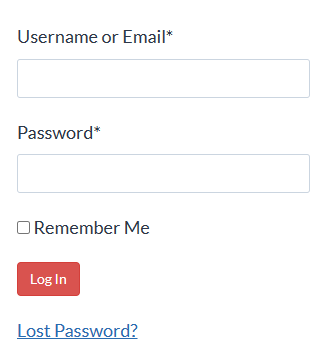
There’s also a Course Login button in the top menu on every page of my site:

Click here to see a 2-minute video tour of the lesson interface.
Email me your question at info@legalofficeguru.com – I’ll get back to you as quickly as I can.
The Word problems aren’t going to stop showing up. The skills to solve them are sitting in one library, at one price, with lifetime access. Today is “one of these days.”