Still reformatting Word documents the hard way?
Master Microsoft Word Styles and slash your formatting time — without the
random-feeling fights with the toolbar.
Every time I survey my readers, the #1 complaint is the same: Word’s formatting feels random. You change a heading, and three other things shift. You fix one footnote, and you’re stuck fixing all of them. You spend an hour cleaning up a brief that should have taken ten minutes.
Here’s the thing — it’s not random. There’s an engine running underneath every Word document, and almost nobody on legal support staff has been formally trained on it.
That engine is Styles. And once you understand how it works, those “random” formatting problems start having very predictable, very fast solutions.
Is this you?
- The attorney just handed back a 60-page brief with “make all the headings smaller” — and you’re dreading the next hour of scrolling and clicking
- Your footnotes are showing up in a different size than the body text, and court rules say they need to match
- You opened a document someone else drafted, and now your formatting is doing things you can’t explain — much less fix
- You’ve muttered “I hate Word” under your breath at least once this week
- You’ve Googled it more than once and gotten five contradictory answers, none of which seem to apply to your version of Word
If any of that sounds familiar, you don’t have a Word problem. You have a Styles problem. Let’s fix it.
How long does it take YOU to make global document changes?
Knowing how Styles work, which one is controlling a particular bit of text, and how to modify it to make a simple change globally can mean a massive difference in how much time you spend editing.
Don’t believe me? Check out this example. Say you’re required (perhaps by court rules) to make all your footnotes the same type size as your body text. Microsoft Word, by default, makes footnote text 2 points smaller than regular text. So, do you:
- Double-click into each footnote;
- Select the text; and
- Use the font size drop-down on the Home tab to resize the text?
Or do you adjust the underlying Style once and watch every footnote in the document resize itself?
Watch a side-by-side comparison and see which one wins the speed contest:
This isn’t really about footnotes. It’s about knowing how to manipulate the behind-the-scenes Styles of any type of text — so you can knock out work product a whole lot faster than the click-by-click formatting you’re doing now.
What you’ll learn in Lawyer’s Guide to Microsoft Word Styles
In about 34 minutes of focused video lessons (Windows and Mac), you’ll learn:
- Why Styles matter — and the 6 everyday legal-document scenarios where they save you the most time
- What a Style actually is — plus the difference between Styles, Templates, and Building Blocks (no, they’re not the same thing)
- The 3 types of Styles and which one to reach for in each situation
- How Style cascading works — and why the Normal Style is the most important one in your document
- The advanced features you unlock the moment you start using Heading Styles (think automatic Tables of Contents, navigation, and cross-references)
- 3 different ways to apply a Style to your text — pick the one that fits how you work
- How to create your own custom Style so your firm’s formatting standards are one click away
- How to figure out which Style is controlling a piece of text — and how to fix it so the change ripples through the whole document
Three modules. Six lessons. Roughly the length of your lunch break.
Your Instructor

I’m Deborah Savadra, and I’ve spent 30 years in the legal industry as a legal assistant, paralegal, and software trainer. I’ve drafted thousands of legal documents, and I’ve sat down at dozens of co-workers’ desks to untangle the same Word problems you’re probably wrestling with right now.
What got me obsessed with Styles wasn’t training — it was a 90-page brief at 4 PM on a Friday with a single misformatted heading that was somehow rippling through the rest of the document. Once I figured out what was actually controlling that heading, I never went back to direct formatting.
That’s the shortcut I want to hand you.
Slash your editing time. Stop dreading formatting changes.
Lawyer’s Guide to Microsoft Word Styles gives you the underlying knowledge that makes Word work the way you’ve always wished it would. No more guessing. No more whack-a-mole formatting fixes. No more burning an afternoon on something that should have taken ten minutes.
If you’re tired of Word “eating your damn lunch every day” (an actual quote from one of my readers), this course is the fastest fix I know of.
Frequently Asked Questions
During checkout, you’ll provide your email and choose your own user ID and password. (Already enrolled in another one of my courses? Log in first so everything stays under one account.) Your purchase receipt arrives by email immediately and includes a link to the first lesson, plus detailed login instructions. The same link appears on the confirmation page after payment.
You’ll also get a series of follow-up emails that walk you through the course, with login instructions at the bottom of each one.
Go to https://legalofficeguru/login and use the login form:
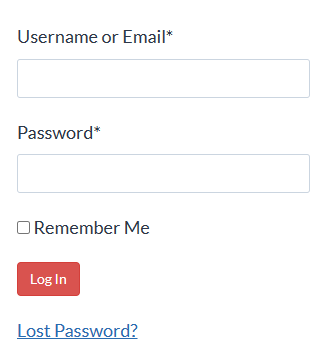
There’s also a Course Login button in the top menu on every page of my site:

Click here to see a 2-minute video tour of the lesson interface.
Email me your question at info@legalofficeguru.com — I’ll get back to you as quickly as I can.
The work isn’t getting any lighter, and Word isn’t getting any easier on its own. Spend 34 minutes learning the one feature that quietly controls every document you touch — and stop losing your afternoons to formatting.