
If you’ve ever decided (or been told) after you’ve already typed something that what’s in lowercase letters now needs to be UPPERCASE, or vice versa, you don’t have to retype a single letter. No, no, no. You just need to use Microsoft Word’s Change Case feature.
- Select the text you want to change the case of, using your mouse or keyboard.
- On the Home tab of the Ribbon, go to the Fonts command group and click the arrow next to the Change Case button.
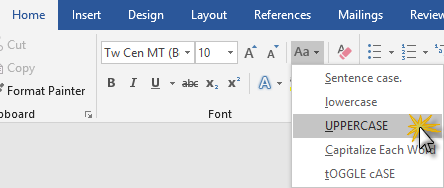
- Choose the appropriate option.
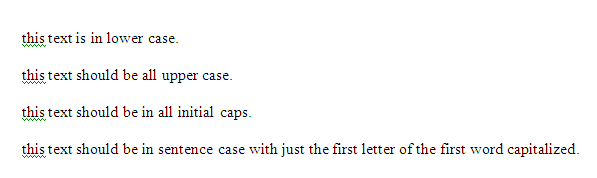
As an example, here’s what various types of text look like before changing case:
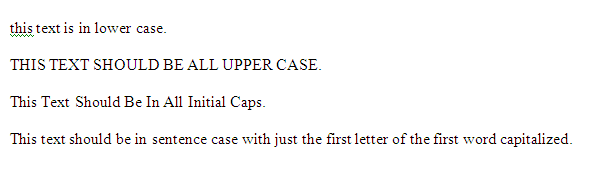
And this is what it looks like after each type of change:

Beside adding an entire new column and putting in a formula to change from Sentence Case or lower case to UPPER CASE, is there anyway to do this for a column or row of data in Excel (I have the 2010 version).
Thanks.
Unfortunately, there are very limited font options, and none to convert the text of the original cell as you can in Word.
You might try posting your question at answers.microsoft.com to see if any of the MVPs know of any tricks you can use for that.