
With a hat-tip to Susan Harkins at TechRepublic.com, I’m going to show you one of the neatest Word tricks I think I’ve ever seen … and exactly how I’m going to put it to use to solve a long-standing problem: getting something to show up in the footer on every page except the last.
Around our office, we do a lot of wills. A lot. And the attorneys who do them like for their clients to initial all of the non-signature pages whenever they execute the will itself. (It keeps anybody from getting cute later and substituting a page before taking it to the Probate Judge. People are sneaky that way.) So we put “Initials: _______” in the footer on the right margin so it prints on every page.
I always thought my preferred solution, using Section Breaks, was the last word in solving the problem of how to get that footer text to not show up on the last page. But noooooo. Susan’s got a better idea: embedding a custom function in there.
Here’s the video demonstration:
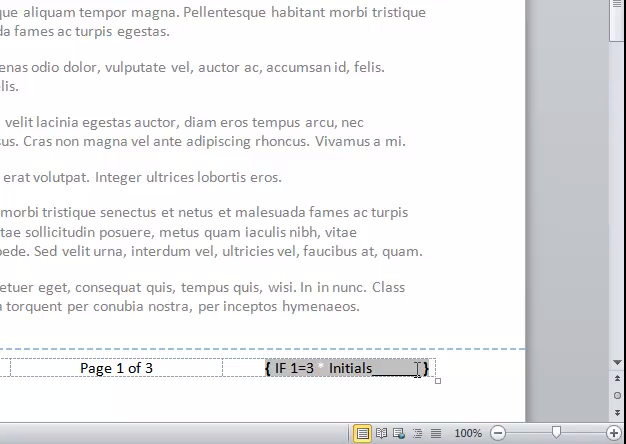
Like I said, I’m going to be finding every excuse to use this wherever it’s handy!
A couple of reader suggestions
Readers chime in with their suggestions:
Jim suggested turning the comparison around so as not to require the whited-out asterisk:

Jim recommended this variation – a bit cleaner code!
Andy suggested this:
Better is to bookmark the signatures or some other text that will always be necessarily on the last page and then compare the current page number to the page number of the bookmark. This solves all sorts of problems that arise when the nominal page numbering is not the same as the physical page numbering (e.g., introductory material in separately numbered sections, attached exhibits, etc.).
For a tutorial on using bookmarks, click here.
Great suggestions!

One Comment
Comments are closed.